
Step 4: Customs
Book and manage your shipment
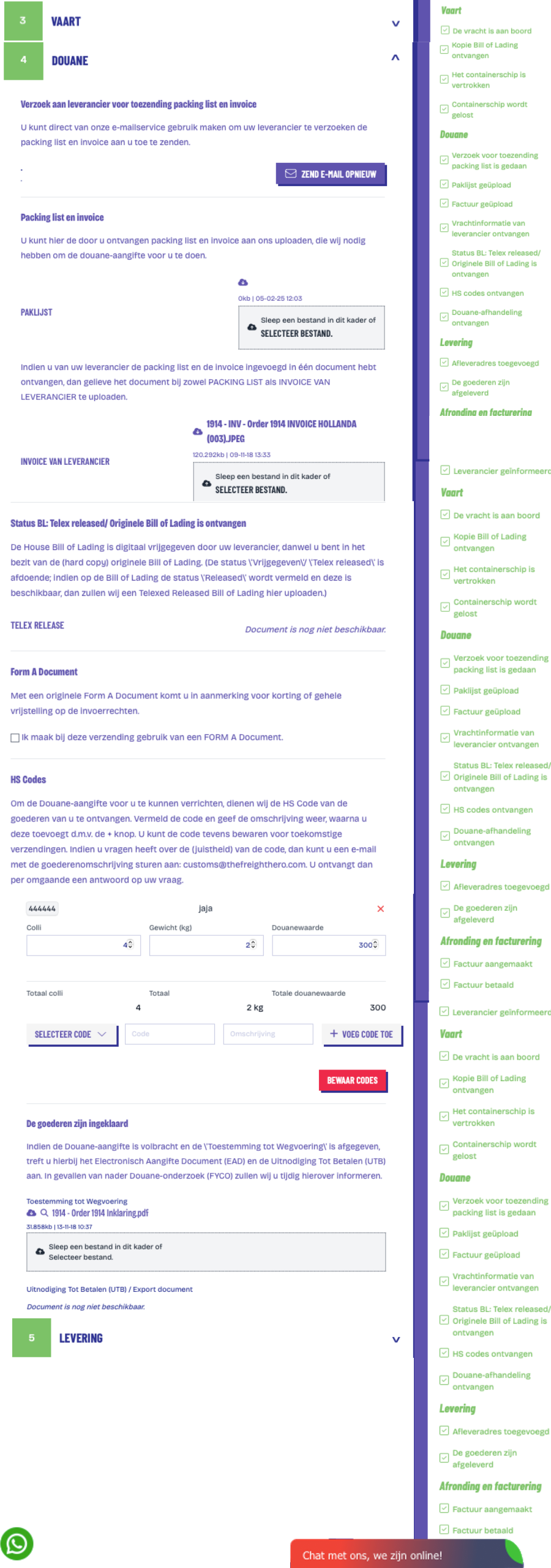
To be able to take care of the customs declaration for you, The Freight Hero must receive from you the Packing List and the Invoice (from the supplier/shipper) at the latest one week before the expected arrival date. If desired, you can make use of the e-mail service. After receipt you can very easily place these documents in your customer environment via the upload tool. If your supplier has put both documents in one file, please upload the same files for both Packing List and Invoice. If, for whatever reason, a change of one of these documents should take place during the voyage, you can upload it again and the previous upload is overwritten.
E-mail service for requests
By clicking on the button "Request for packing list and invoice", you can directly send an e-mail to your supplier with the request to send the packing list and invoice.
Checking the progress
After uploading the packing list and the invoice, you see on screen that the statuses "Request for sending packing list and invoice", "The packing list has been uploaded" and "The invoice has been uploaded" are automatically updated by means of a tick.
Now it is waiting for the receipt of the Telex Release of the Bill of Lading. As soon as the The Freight Hero agent has this ready, you receive it by e-mail. You can also find it back (and download it) in this Customs step. Also, on the right-hand side the status "Telex Release has been received" is automatically updated by means of a tick.
HS Codes
The last step expected from you before The Freight Hero can take care of the customs declaration for you is that you state the HS code(s) concerned.
You can easily select previously used and stored HS codes from your list. New HS Codes with description must then be saved. Do you have several types of goods in one shipment and therefore several HS Codes? Then you can add that by using the plus sign ("+").
The customs clearance
As soon as the The Freight Hero agent has received the telex release, you get it by e-mail. Also, in your account the status "Telex Release has been received" is automatically updated by means of a tick. The Freight Hero will now carry out the customs clearance for you. When the goods have been cleared, you receive the Invitation to Pay (stating the possible additional import tax and VAT) and Permission for Removal by e-mail. Also, on the right-hand side the status "The goods have been cleared" is automatically updated by means of a tick.
The ordering step "Customs declaration" is hereby completed (and is then green and ticked).
Next we go to Step 5: Delivery.
With The Freight Hero your customs formalities are arranged quickly and error-free. Let us guide you for a problem-free and efficient handling of your transport!