
Step 2: Set up supplier
Book and manage your shipment
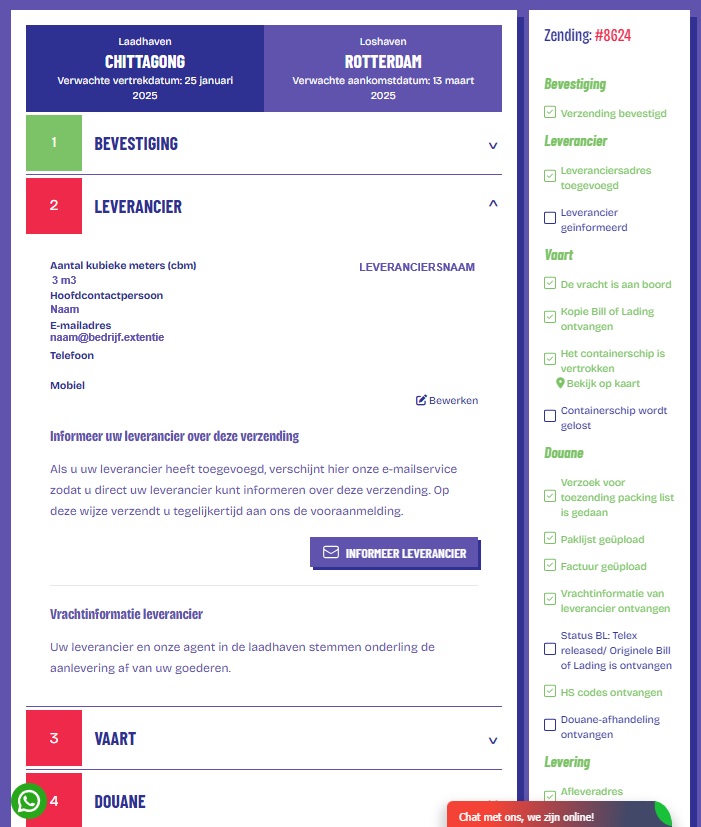
When you have confirmed a transport booking - Step 1 - Confirmation - you must link the supplier details to the shipment. You do that in Step 2: Supplier. If you have made a booking with the supplier concerned before, then you very easily retrieve the supplier details from your address list. If it concerns a first booking of the supplier concerned, then you will have to add the address and the company details of this supplier.
Required actions
When you have filled in all the details, you tick "Save in address list" and press the button "Save address". You see on the right-hand side that the status "Supplier address added" is automatically updated by means of a tick.
E-mail service: Inform supplier
You now see a blue button appear: "Inform supplier". If you click on this, an e-mail pop-up appears. All shipping details are in this e-mail. By clicking "Send e-mail", you inform your supplier of this shipment.
Pre-notification: Inform The Freight Hero agent
At the same time, with this same e-mail you make the actual pre-notification, and the local The Freight Hero agent in the port of loading will further coordinate the delivery of the goods with your supplier.
You see on the right-hand side that the status "Supplier informed" is automatically updated by means of a tick. After all the data supplied for the shipment has been checked for completeness for making a booking, the agent on location is informed about the shipment. Your supplier and our local agent will then, on the basis of the date you desire, taking into account the date on which the supplier can deliver the goods (the so-called cargo ready date), confirm the booking for the next possible departure. Then Step 2: Supplier is completed and you go to Step 3: Transport.
In The Freight Hero dashboard you set up your suppliers easily and manage your shipments with ease!